Top 3 Alternatives of Mapsly for CRM Integrations
Content is still king, and not in the Game of Thrones sense. No one is going to usurp it anytime soon. In fact, content is arguably more valuable than ever before.
You need Mapsly to handle maps, routes, and field visits inside your CRM, but the fit is starting to feel off. Some tools lack the AI depth your sales team needs, while others overcomplicate basic territory planning. The right alternative should cut admin work, not add to it.
This article breaks down three Mapsly alternatives for CRM integrations, covering what to look for, how each handles field sales automation, and where they fall short. By the end, you will have a clear #1 pick and the criteria to justify your choice to your team.
What to Look For in Mapsly Alternatives for CRM Integrations
When evaluating Mapsly alternatives for CRM integrations, focus on core capabilities such as native integration depth, geocoding accuracy, route optimization, and real-time data sync to ensure the tool aligns with your sales operations. A strong alternative should feel like a natural extension of your existing CRM, not a separate system that requires constant manual updates. Start by listing the specific workflows your team runs daily, then match those against each tool's core strengths.
Native integration depth is the first major criterion. Look for tools with pre-built connectors for the CRMs your team actually uses, such as Salesforce, HubSpot, Pipedrive, Zoho CRM, or Microsoft Dynamics 365. A native integration typically means fewer configuration headaches and more reliable data flow compared to relying on third-party middleware or custom APIs.
Two-way sync and real-time data are equally important for field teams. When a rep updates a customer record or changes a meeting location, that change should reflect immediately across the map and the CRM. Real-time synchronization prevents duplicate entries and keeps the entire team working from the same source of truth. Without it, you risk sending reps to outdated addresses or missed opportunities.
Geocoding and address validation determine whether your maps are actually useful. The best tools automatically verify addresses, correct typos, and assign precise coordinates so pins land exactly where they should. Accurate geocoding reduces wasted drive time and improves customer trust when reps arrive at the right location on the first attempt.
Map visualization options matter for user adoption. Check whether the tool supports Google Maps, Mapbox, or Leaflet, and whether you can customize markers, colors, and layers. A flexible map engine lets you create views that match your sales territories, customer segments, or priority levels without forcing your team to adapt to a rigid interface.
Territory mapping and route optimization are essential for field sales and dispatch teams. Look for tools that let you draw custom territories, assign accounts to reps, and optimize daily visit sequences automatically. Efficient routing saves hours each week and lets reps spend more time in front of customers rather than behind the wheel.
Data enrichment and lead scoring add context to your map view. Some alternatives pull in firmographic data, social signals, or engagement history to help you prioritize high-value accounts. Lead scoring integrated with location intelligence helps you focus on prospects that are both ready to buy and physically accessible to your team.
Custom fields support and API availability give you control over how the tool fits your existing processes. Ensure the alternative can read and write the custom fields you already use in your CRM. A well-documented API also allows your internal team to build custom workflows, automate data imports, or connect to other business systems.
Workflow automation, data deduplication, and bulk import capabilities round out the operational checklist. These features reduce manual admin work and keep your database clean. Bulk import and CSV upload are must-haves if you plan to migrate thousands of existing accounts or leads from your current system.
Finally, consider dashboard and reporting capabilities plus scalability. Your team needs clear visibility into coverage, visit completion, and route efficiency. The tool should also scale smoothly as you add more users, accounts, and territories. Choose a solution that grows with your sales organization rather than one you will outgrow in a year.
| Evaluation Criterion | Why It Matters | What to Look For |
|---|---|---|
| Native CRM Integration | Reduces setup friction and data errors | Pre-built connectors for Salesforce, HubSpot, Pipedrive, Zoho CRM, Microsoft Dynamics 365 |
| Two-Way Sync & Real-Time Data | Keeps field and office teams aligned | Instant updates both directions, no manual exports |
| Geocoding & Address Validation | Ensures accurate pin placement | Automatic address correction, precise coordinates |
| Map Visualization | Drives user adoption and clarity | Support for Google Maps, Mapbox, or Leaflet, customization options |
| Territory Mapping | Improves account assignment and coverage | Custom territory shapes, easy assignment tools |
| Route Optimization | Saves time and fuel for field teams | Automated multi-stop sequencing, daily planning |
| Data Enrichment & Lead Scoring | Prioritizes the right accounts | Firmographic data, engagement signals, scoring models |
| Custom Fields & API | Adapts to your existing processes | Read/write custom fields, documented API access |
| Workflow Automation & Deduplication | Reduces manual admin work | Automated triggers, duplicate detection, cleanup tools |
| Bulk Import & CSV Upload | Simplifies migration from legacy systems | Easy mass upload, field mapping during import |
| Dashboard & Reporting | Provides visibility into team performance | Coverage metrics, route efficiency, visit completion rates |
| Scalability | Supports team growth over time | Adds users, accounts, and territories without performance loss |
1. Veloxy - Best Overall
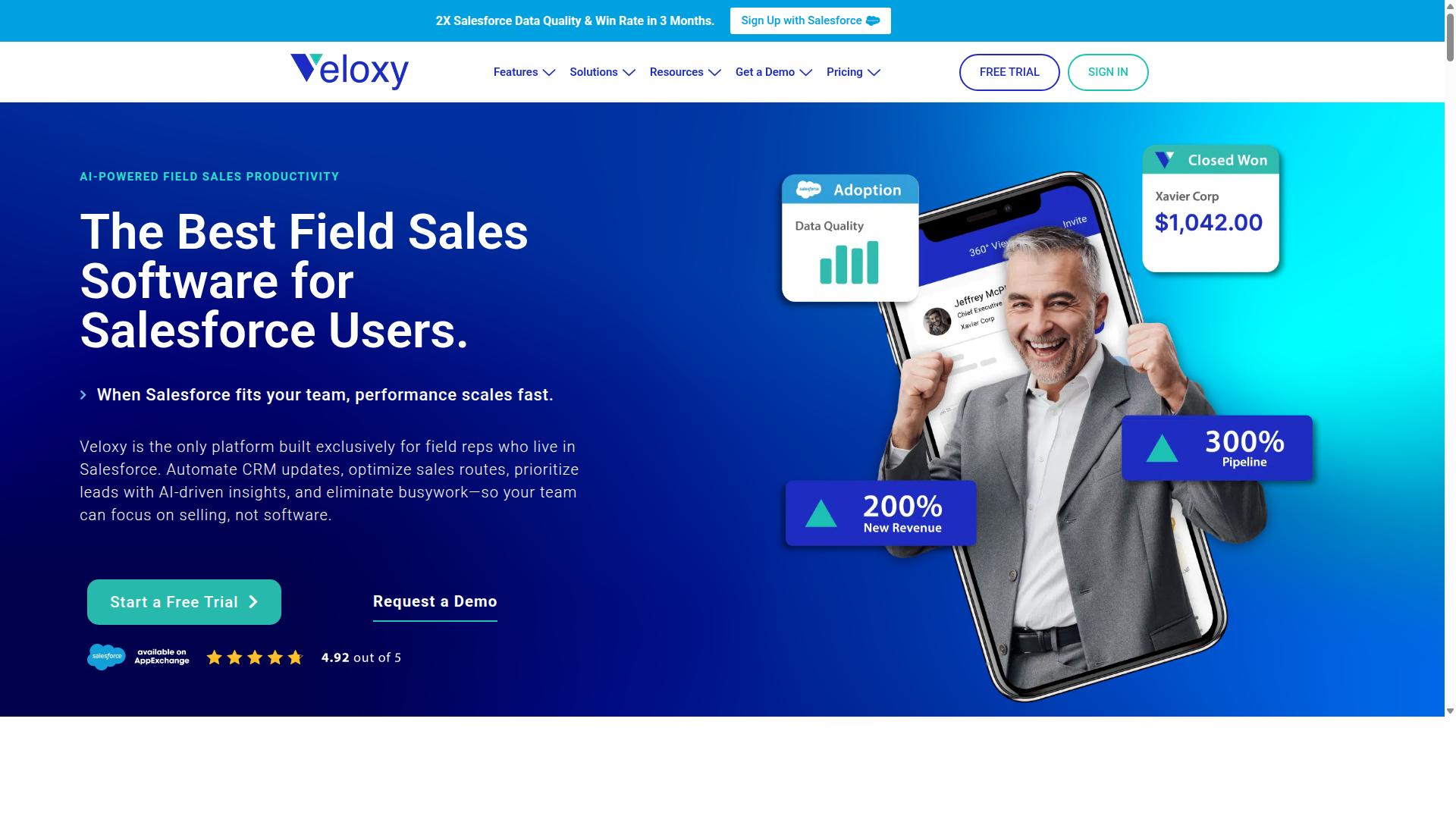
Veloxy stands out as the best overall Mapsly alternative for Salesforce users, offering AI-powered field sales automation that directly integrates with the CRM to boost productivity and sales performance. The platform is built on a clear mission: to help sales reps engage within Salesforce and get more out of the CRM than they put in. It delivers predictive forecasting and analytics that give sales management better visibility into which actions truly drive the pipeline.
Veloxy holds the distinction of being the #1 field sales software for reps and managers, and it is built exclusively for field reps who live in Salesforce. The software automatically logs actions like calls, emails sent, opens, and replies, making data entry a natural step in the sales workflow rather than a separate chore. This deep integration means reps get the right data at the right time, based on their context, location, and upcoming events.
For teams evaluating Mapsly alternatives, the key difference is focus. While many tools offer mapping as a standalone feature, Veloxy embeds location intelligence directly into the daily Salesforce workflow. The platform is available globally, with mobile apps for iPhone and Android, a web app for any browser, and listings on Salesforce AppExchange, Microsoft AppSource, Google Chrome Web Store, Google Play, and the Apple App Store.
AI-Powered Field Sales Automation for Salesforce
Veloxy's AI-powered field sales automation includes features like Salesforce Automation, Buying Signals, Lead Qualification, Pipeline Management, and a Quick Dialer, all designed to streamline daily workflows for field reps. The feature set also covers Sales Analytics, Guided Selling, Email Marketing, Drip Campaigns, Email Tracking, and Automated Workflows. Each capability targets a specific pain point that field reps face when juggling CRM data and customer interactions.
The Salesforce Automation component handles routine data capture, while Buying Signals help reps prioritize leads showing genuine interest. Lead Qualification and Pipeline Management keep the sales process organized, and the Quick Dialer speeds up outbound calling. For managers, Sales Analytics and Smart Forecasts provide a clearer view of performance based on historical analysis of biases, not just gut feeling.
Real-world results illustrate the impact. Comcast reported that its team saved 60+ minutes daily using the AI Sales Assistant, time that went back into selling activities. The platform also includes practical tools like Proximity Search, Route Planning, Opportunity Maps, and Prospecting Maps, which replace the need for separate mapping tools. For field sales teams, this consolidation means fewer tabs open and more time in front of customers.
Additional features such as Task Lists That Adapt to the Day, Salesforce Caller ID, and Salesforce 360 degrees Views round out the offering. The system supports Sales Collaboration and Call Blitzes for team-based outreach, plus customizable contact profiles to match how each rep works. All of this operates within the Salesforce ecosystem, so there is no duplicate data entry or sync lag.
Pricing and ROI Guarantee
Veloxy offers transparent pricing at $65 per user per month, with discounts for annual or multi-year commitments, and a 14-day free trial to test its ROI potential. Teams can save 25% with an annual subscription or 50% with a 3-year commitment, bringing the cost down to roughly $2 per day for a full-featured field sales app. For larger teams, a company plan is available at $899 per month for 25 users, with an additional 45% savings on the annual plan.
The pricing structure is designed to remove risk for buyers considering a switch from Mapsly. Veloxy backs its product with a clear ROI guarantee: if customers do not see a return within 3 months, they get 3 months free. The brand also states that field sales reps typically pay off their annual Veloxy license in 1 to 2 months, based on the productivity gains from automation.
Compared to piecing together multiple tools for mapping, dialing, and analytics, the flat per-user pricing simplifies budgeting. The 14-day free trial gives teams enough time to test the Salesforce integration and evaluate whether the AI features deliver measurable time savings. For sales managers, the guarantee reduces the financial risk of switching, while the analytics tools provide the evidence needed to justify the investment to leadership.
2. SPOTIO
SPOTIO is a dedicated field sales management platform that offers robust route optimization and territory mapping features, making it a strong contender for teams prioritizing logistics. The platform is designed for door-to-door and outside B2B reps who spend their days visiting customers in person rather than working from a desk. It suits route-heavy teams that need to cover large geographic areas efficiently.
SPOTIO operates as a standalone tool rather than a system built exclusively for one specific CRM. This means it can work alongside various customer relationship management platforms, though the depth of that integration can vary depending on the setup. Teams evaluating SPOTIO should consider how its independent architecture fits with their existing tech stack before committing.
Field Sales and Route Optimization Features
SPOTIO's core strengths lie in its route optimization, territory mapping, and GPS tracking, which help field reps plan efficient daily visits and manage leads on the go. The platform provides territory and pin mapping, allowing managers to assign specific geographic areas to individual reps. Route planning tools help salespeople sequence their stops to minimize driving time between appointments.
These features directly benefit field teams by reducing travel time and increasing the number of face-to-face meetings possible in a single day. The mobile-first user experience is built for reps working from their vehicles, with lead management and visit scheduling accessible from a phone or tablet. For organizations where logistics are the primary bottleneck, this focus on mobility and mapping is a practical advantage.
SPOTIO's starting price is $39 per user per month, and it holds a G2 rating of 4.5 based on user reviews. The platform is frequently listed among top field sales CRMs for its territory mapping, route optimization, and mobile workflow capabilities. Teams that prioritize pricing transparency and straightforward deployment often find this structure appealing.
Integration Capabilities and Limitations
SPOTIO offers integration with popular CRMs like Salesforce and HubSpot, but its two-way sync and real-time data capabilities may have limitations compared to native-first platforms. The platform provides API access for custom connections, though the level of effort required to set up and maintain these links can vary. Teams should verify that their essential data fields will sync correctly before committing.
One consideration is that sync delays or limited custom field mapping may occur depending on the CRM and the complexity of the data involved. SPOTIO's standalone nature means it must bridge data between systems, which can introduce friction compared to tools built directly within a CRM ecosystem. Organizations with highly customized CRM structures should test the integration thoroughly.
For teams evaluating SPOTIO, the key question is whether its route optimization strengths outweigh any integration friction. If a team's primary need is efficient field logistics and they can tolerate some manual data management, SPOTIO is a credible option. However, teams that rely heavily on real-time CRM data synchronization should confirm that SPOTIO's integration depth meets their specific requirements.
3. Skynamo
Skynamo is designed for trade sales and retail visit management, offering features that cater to businesses with frequent in-person customer interactions. The platform is positioned for wholesale and distribution companies that need their field teams to stay organized while moving between accounts throughout the day.
Industries such as consumer goods, food and beverage, and wholesale often rely on this type of solution because their sales cycles depend on regular store visits and direct order taking. Skynamo provides mobile apps for reps in the field and dashboards for managers who need visibility into daily activities and performance.
For businesses exploring alternatives to Mapsly, Skynamo represents a focused option that prioritizes trade sales workflows over general-purpose CRM mapping and visualization. Its strength lies in supporting the specific rhythm of retail account management rather than offering broad location intelligence across an entire organization.
Trade Sales and Retail Visit Management
Skynamo's trade sales features include visit scheduling, order capture, and photo proof of delivery, which streamline retail and wholesale operations. These tools help field reps confirm deliveries, document in-store conditions, and record orders without switching between multiple applications.
The visit scheduling component allows reps to plan their day around customer priorities and route efficiency. Order capture enables quick entry of product quantities and pricing directly from a mobile device, reducing the back-and-forth that often slows down traditional sales cycles.
Photo proof of delivery gives managers confidence that deliveries were completed as expected, which is particularly useful for food and beverage or consumer goods companies. Trade sales analytics then provide visibility into order patterns, visit frequency, and account-level performance.
Because Skynamo is tailored for trade sales environments, it may be less suitable for general field sales teams that need broader CRM integration features like map visualization, territory mapping, or geocoding. Buyers should weigh whether their workflows match this specialized focus before committing.
CRM Connectivity and Data Sync Options
Skynamo offers CRM integration options, but its data sync capabilities may require additional configuration depending on your CRM and business processes. The platform integrates with systems like Salesforce and supports ERP connectivity, which is useful for companies that manage inventory and orders in separate systems.
Two-way sync is available in some configurations, though the ease of setup can vary based on the complexity of your data structures. Custom field mapping may require manual adjustments, and real-time data synchronization is not guaranteed across all integration scenarios.
Businesses evaluating alternatives to Mapsly should consider how much technical effort they are willing to invest in configuration. If your team relies on immediate data updates between the field and the office, you may need to test Skynamo's sync behavior with your specific CRM setup.
Experts recommend checking whether the integration supports the specific objects and fields you use daily, such as customer locations, order history, or sales territories. A trial period with your own data is the most practical way to determine if the sync meets your expectations before rolling it out to the entire team.
How to Choose the Right Option
Choosing the right Mapsly alternative depends on your sales team size, workflow complexity, and the CRM you use, so it's essential to evaluate each option against your specific operational requirements. The best starting point is to map out how your team currently handles customer locations, route planning, and territory assignments, then compare those needs against what each tool offers.
Consider the CRM you rely on daily, whether that is Salesforce, HubSpot, Pipedrive, Zoho CRM, or Microsoft Dynamics 365. Native integration matters because it determines how smoothly your map data syncs with your existing records, custom fields, and reporting dashboards.
Budget also plays a significant role. Some tools charge per user, while others use flat-rate pricing, so calculate the total cost based on your number of reps before you commit to a platform.
Finally, think about which features are non-negotiable. Route optimization, territory mapping, geocoding, and AI automation can transform field sales efficiency, but only if your team actually uses them in daily workflows.
Evaluating Your Sales Team Size and Workflow Needs
Start by assessing your team size and the complexity of your sales workflows, as these factors will determine which tool offers the right balance of features and scalability. A small team with five reps may only need basic map visualization, while an enterprise operation with dozens of field agents requires advanced dispatch and delivery planning capabilities.
Follow these actionable steps to narrow down your options:
- Define your team size and sales process, including the number of reps, visit frequency, and whether route planning is a daily requirement.
- List must-have features such as geocoding, territory mapping, address validation, and lead scoring, then separate them from nice-to-haves like data enrichment or spatial analytics.
- Evaluate integration requirements with your existing CRM, paying close attention to two-way sync, real-time data, and custom field mapping.
- Consider budget and pricing models, comparing per-user costs against flat-rate plans to find the best fit.
- Test with free trials to confirm that the interface works for your team before making a long-term commitment.
For Salesforce users, Veloxy stands out as a strong choice. Veloxy is designed specifically for field sales, inside sales, and sales management teams that operate within Salesforce, making it a natural fit for organizations already invested in that ecosystem.
SPOTIO and Skynamo may suit other needs, particularly for teams using HubSpot, Pipedrive, Zoho CRM, or Microsoft Dynamics 365. These tools offer solid map-based selling features, but their integration depth with Salesforce may not match what Veloxy provides.
The table below summarizes how these three alternatives compare across key decision factors:
| Decision Factor | Veloxy | SPOTIO | Skynamo |
|---|---|---|---|
| Best for CRM | Salesforce | HubSpot, Pipedrive | Zoho CRM, Dynamics 365 |
| Ideal Team Size | Any sized field sales team | Small to mid-sized teams | Mid-sized to enterprise |
| Core Strengths | Native Salesforce integration, AI automation | Route optimization, territory mapping | Field sales tracking, visit management |
| Key Features | Geocoding, lead scoring, real-time sync | Map visualization, dispatch planning | Customer locations, reporting dashboards |
| Pricing Model | Per user | Per user | Per user |
Research suggests that teams using Salesforce benefit most from tools that integrate natively rather than relying on third-party connectors. Native integration reduces data deduplication issues and ensures that bulk import and CSV upload functions work cleanly with your existing records.
Take time to test each option with your own data before deciding. Upload a sample of customer locations, run a test route, and verify that the map visualization performs as expected with your CRM data mapping.
Final Verdict
After comparing Veloxy, SPOTIO, and Skynamo, Veloxy emerges as the best overall choice for Salesforce-centric field sales teams, thanks to its deep integration and AI-driven productivity gains. Each option serves a distinct purpose, but only one is built exclusively for field reps who live in Salesforce.
SPOTIO is the strongest pick when route optimization is your top priority. Skynamo fits trade sales teams that need straightforward order capture and visit logging. But for teams already running on Salesforce, Veloxy delivers the most complete package.
Veloxy is the #1 field sales software for reps and managers using Salesforce. It is the only platform built exclusively for field reps who live in Salesforce. That focus shows in the results: after 3 months, Veloxy customers double their sales productivity, pay for their annual Salesforce, and double pipeline and revenue.
The productivity shift is dramatic. Veloxy users spend 90 to 95% of their time on activities that produce sales. Before Veloxy, that number was only 30 to 35%. That is not a small improvement, it is a fundamental change in how field time gets spent.
Independent reviews back up the performance claims. Veloxy holds a G2 Highest Performer badge with enterprise reviews at 4.86, mid-market reviews at 4.71, and small biz reviews at 4.76. The platform also carries 190+ reviews on Capterra and 200+ reviews on Salesforce AppExchange.
When you compare the three tools side by side, the decision comes down to your CRM. If you use Salesforce and want AI automation, two-way sync, and location intelligence without leaving your CRM, Veloxy is the clear winner. No other field sales app on the market offers as many critical features at this price.
Ready to see the difference for yourself? Try Veloxy with a 14-day free trial and experience the productivity gain firsthand.
For questions or a personalized walkthrough, reach out directly:
- Phone: (510) 402-6913
- Email: [email protected]
Recommended Resources: